

Did you know that AI product design goes beyond creating smart features? Building trust comes first.
AI has grown from a buzzword into the backbone of our digital world. Users often struggle to understand how AI systems generate their outputs. This creates a significant challenge for product teams working on AI-driven product design. Trust grows through transparency as teams develop generative AI product design solutions. Users are more likely to adopt and stick with your AI product design tool if they understand how it works.
The National Institute of Standards and Technology (NIST) identifies seven key characteristics that make an AI system trustworthy. This piece explores practical strategies to blend these principles into your work. You’ll find AI product design case studies and learn to create AI products your users will genuinely trust.
Let’s take a closer look at how to design AI products that users can count on!
Define the AI Product Type and Scope
You need to define the type of AI product you’re building before getting into design details. This first step will substantially affect user trust and adoption rates.
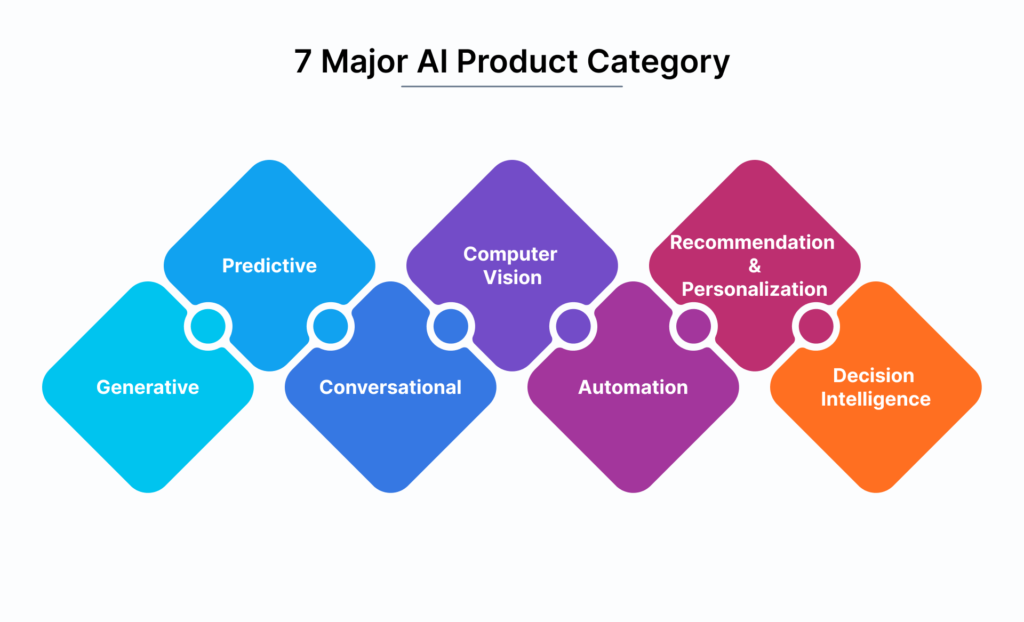
Is it a co-pilot, assistant, or background tool?
The most vital decision centers on your AI product’s category. Each type meets different user needs and sets distinct expectations:
→ Co-pilots work alongside users to increase their efficiency and creativity without taking control. They adapt to specific environments and provide immediate support while increasing human expertise rather than replacing it. Coding co-pilots help developers write better code faster but keep humans in charge.
→ Assistants offer customized interactions by drawing from both real-time input and past learning. They interpret user input, retrieve information, and generate natural responses. Unlike co-pilots, they support multiple tasks rather than deep domain-specific collaboration.
→ Background tools work behind the scenes with minimal user interaction. These narrow-scope AI features serve specific purposes and support single tasks. Users find them easier to understand and adopt compared to broader AI systems.
Your AI product type helps arrange design decisions with user expectations and builds a clear path to trust.
Clarify what the AI can and cannot do
Trust-building in AI product design demands transparency about capabilities and limitations. People affected by AI projects rarely understand how AI works. Errors aren’t just side effects—they can determine your initiative’s success.
Users create mental models about AI systems that guide their interactions and shape expectations. Trust erodes quickly if these expectations don’t match reality.
Trustworthy AI product design requires you to:
- Find tasks that users consider repetitive and boring—these make ideal candidates for AI automation
- Handle tasks users enjoy or value highly with care—people want control of these
- Look for tasks humans can’t do at scale as opportunities where AI creates substantial value
The type of AI you’re using needs clear communication. Current AI systems are mostly Narrow AI (or Weak AI). They excel at specific tasks but lack general intelligence. This basic limitation helps set proper boundaries.
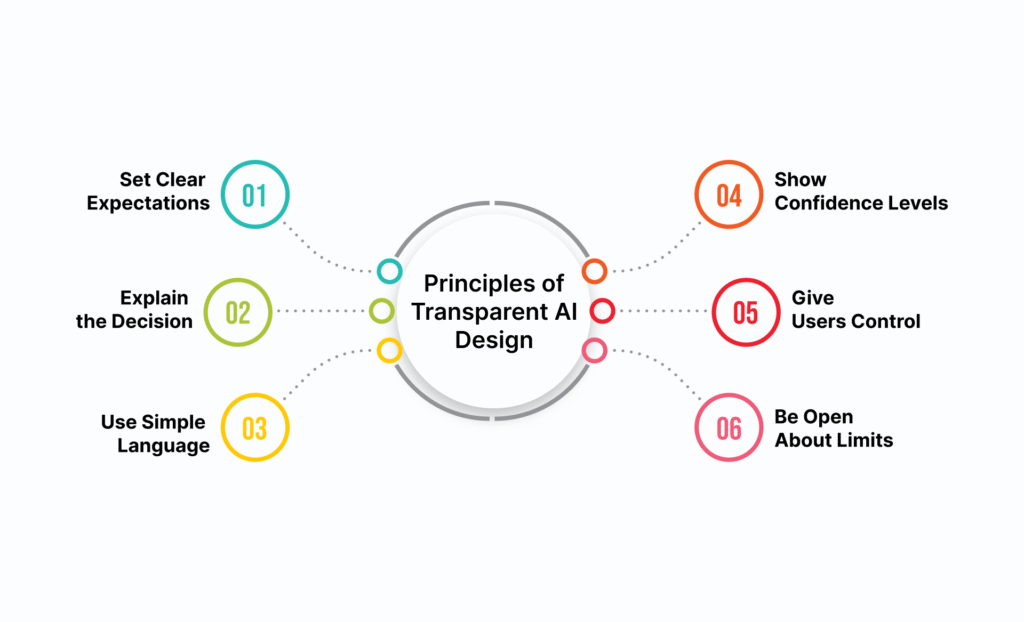
Set clear expectations from the start
Onboarding should establish proper expectations. Define your AI’s specific role by asking:
- What specific outcome is the agent responsible for?
- Who is it acting on behalf of?
- Where does the agent’s autonomy begin and end?
A step-by-step onboarding process builds detailed understanding and creates a solid foundation for interactions. Focus on core capabilities that deliver immediate value instead of showing all possible features.
The technology powers features within your product—AI isn’t your product. This difference helps keep discussions focused on user value rather than AI capabilities.
Project boundaries need clear definition through objectives, deliverables, timeline, and budget. Everyone should understand the project’s scope before development starts to prevent trust-damaging expectation mismatches.
Make the AI Understandable and Transparent
Trust in AI product design starts with transparency. After defining your AI product, you need to make it clear to users. People trust AI more with important tasks when they understand how and why it works.
“By far, the greatest danger of Artificial Intelligence is that people conclude too early that they understand it.”
— Eliezer Yudkowsky, Co-founder and Research Fellow, Machine Intelligence Research Institute
Use confidence indicators or visual cues
Visual indicators help users better interpret AI outputs. Research shows that visualizing uncertainty improves trust in AI among 58% of participants who didn’t like AI at first. About 31% of these skeptical users found it helpful to see uncertainty displayed.
Users’ trust and confidence in their decisions depends mostly on how big the uncertainty visualization is. Here are some visual techniques that work:
- Size variations – Larger elements indicate higher confidence
- Color saturation – More vivid colors show greater certainty
- Transparency levels – Solid elements represent stronger predictions
Real-life applications show that color-coded confidence meters (red/yellow/green) help professionals make sense of AI recommendations without following them blindly. Some AI systems show probability ranges instead of single values, which openly shows their limitations.
Explain decisions with simple justifications
Users need to know both what AI decides and why. Explainable AI (XAI) techniques help users trust and understand machine learning outputs. The best approach highlights what matters most for user decisions instead of showing every data point.
Layered explanation design works best by organizing information into clear levels:
- Surface level: Short, plain-language reason for a recommendation
- Secondary layer: Key factors contributing to the outcome
- Deeper level: Access to underlying data for those who need it
This step-by-step method lets users explore details based on what they need without overwhelming everyone with technical details. Explainable AI helps businesses beyond building trust—it makes troubleshooting models easier, helps compare predictions, calculates risk, and improves performance.
Label AI-generated content clearly
AI content labels are not optional anymore—they’re crucial. A 2024 survey shows that 94% of consumers want all AI content labeled. People have different views on who should do this: 33% point to brands, 29% say hosting platforms, and 17% believe everyone shares this duty.
Your AI product design tool needs these proven labeling approaches:
→ Use terms that work: “AI-generated,” “Generated with AI tool,” and “AI manipulated” signal AI involvement best without suggesting deception
→ Add consistent visual cues wherever AI content shows up
→ Write plain language explanations without technical jargon
→ Include contextual notifications that fit the situation
→ Mention human oversight when you have it (e.g., “Drafted with AI, reviewed by [Team]”)
These transparency practices add value to content and make internal governance better. Being open about AI use helps set the right expectations and reduces confusion about how helpful or accurate it is.
Your AI product builds real user trust through understanding and transparency. This trust becomes the foundation for wider adoption of generative AI product design solutions.
Design for Control, Not Automation
A simple principle drives successful AI product design: users must feel they’re in control. My rule of thumb is straightforward: we can’t automate decisions that matter to users if we can’t guarantee accuracy. You retain control of systems where humans make the final decisions to build user trust in AI.
Let users override or disable AI actions
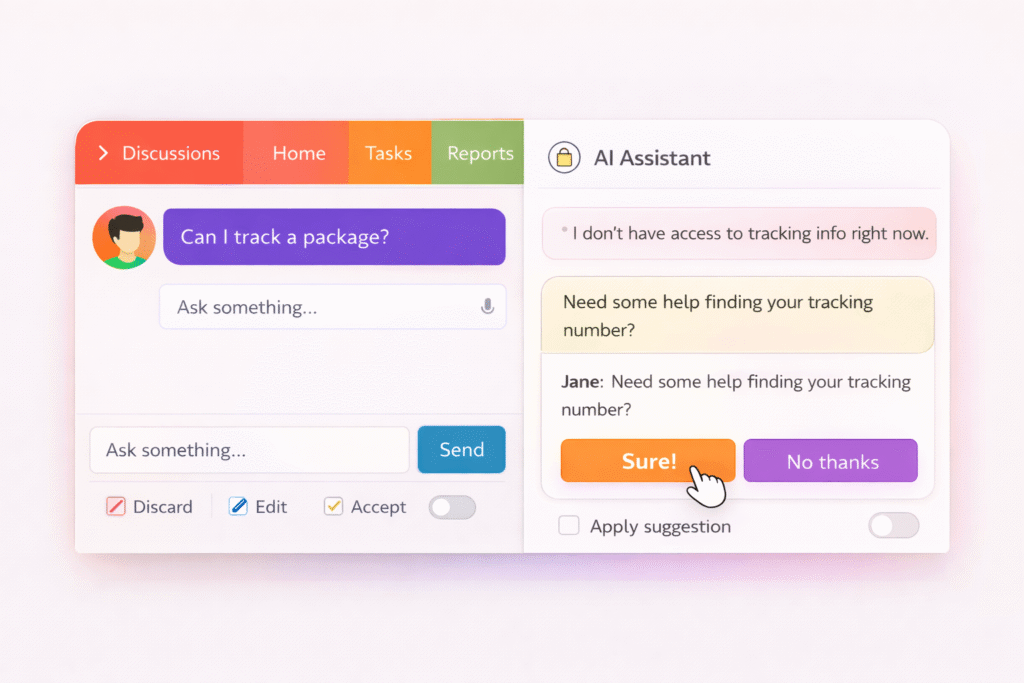
Users need the power to customize and step in during AI processes. Oracle applications let users with proper privileges override default AI prompts through AI Configurator in Experience Design Studio. This approach acknowledges that organizations have unique needs that a single automation solution can’t address.
→ Users can customize AI functions to match their specific requirements → Clear interfaces exist to modify default behaviors → Users feel more ownership when they can tailor the system
Make override options easy to find without being intrusive. PoppinsAI’s development showed that “parents didn’t want the ‘smartest’ meal planner. They wanted one that felt user-friendly and trustworthy for their family’s needs”.
Provide undo and preview options
Have you made a change you regretted right away? It happens to everyone! Undo and redo options create safety nets that encourage users to explore. MindMap AI users can reverse actions with one click to restore deleted nodes or modified branches. These features should be easy to spot—usually at the top of the canvas or toolbar.
Preview features give users another way to stay in control by seeing AI suggestions before applying them. This creates what one designer calls “a seamless handoff between AI and human”, as with Google’s Smart Compose that offers suggestions without forcing them.
Avoid forcing AI decisions on users
The best AI designs suggest options instead of making final decisions. Build interaction patterns that keep people involved throughout the process to prevent automation-induced complacency.
AI should handle data processing and routine tasks but ask humans to observe, confirm, or decide regularly. Users want agency—they don’t want software controlling them, they want to control it.
The goal isn’t to reduce automation but to calibrate it properly. Humans and AI each play vital roles, with humans keeping final authority. Add structured check-ins where the system stops at critical moments and asks for confirmation before moving forward.
Handle Errors and Edge Cases Gracefully
AI systems can fail despite being brilliant – these moments shape user trust more than successes. Users love AI products that handle errors gracefully and abandon those that don’t.
Design fallback flows for failed outputs
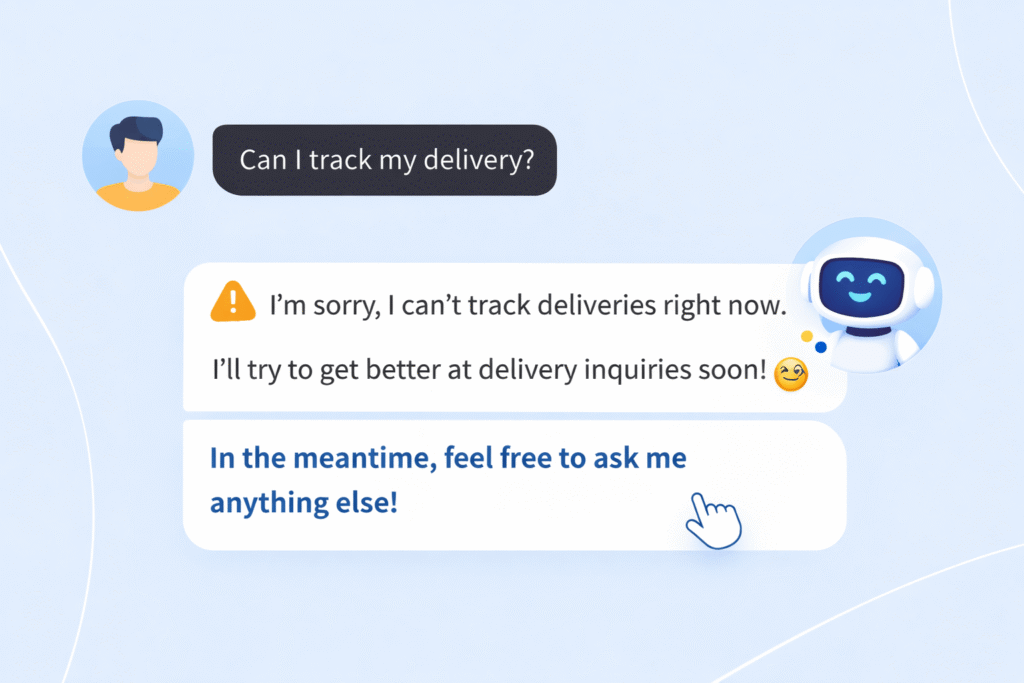
AI systems need reliable fallback mechanisms when they can’t deliver results to keep users involved. Studies show that 37% of enterprises faced major operational disruptions because AI systems failed in edge cases. Here’s how to prevent this:
→ Build dedicated fallback flows that automatically activate when AI fails to understand requests or give satisfactory answers
→ Keep multiple agents running in parallel or standby, ready to step in if primary systems fail
→ Add “human-in-the-loop” systems where AI can stop, flag an error, and ask for expert help
Good fallback design should point users toward alternative paths instead of just admitting failure. Research shows that many fallback systems turned potential dropouts into successful interactions by showing users relevant options.
Use human-friendly error messages
Error messages raise cortisol levels, which indicate psychological stress. The way these messages look and feel affects users deeply:
→ Skip technical jargon and blame – stick to language users understand
→ Show messages near error locations so users spot issues quickly
→ Make errors stand out with clear, high-contrast indicators (usually red)
→ Keep the tone positive and helpful without making users feel wrong
Note that vague messages like “An error occurred” leave users confused. Clear problem descriptions work better while keeping things simple.
Offer next steps or manual fixes
Users shouldn’t feel stuck when errors happen. They need clear guidance:
→ Save user’s input to let them edit instead of starting over
→ Let conversational AI smoothly switch to human agents
→ Show a short list of likely fixes when possible (e.g., “Did you mean…”)
→ Give clear next steps or other ways to proceed
Great AI products plan for errors from the start. Users trust products that handle failure gracefully through smart fallback systems, friendly error messages, and clear recovery options.
Iterate with Feedback and Ethical Guardrails
“To have successful and secure AI deployments, trust and governance need to be embedded directly into agent decision loops, not bolted on afterward.” — Michael Adjei, Director of Systems Engineering, Illumio
Building trustworthy AI products needs constant fine-tuning and ethical awareness. The best products grow better through improvement cycles that include the user’s point of view.
Collect user feedback in live
Live feedback helps spot problems right away. Though all but one of these users actively share their thoughts through thumbs-up/down buttons, their input is a great way to get insights. Here’s what works:
→ Set up multiple feedback channels with ratings, direct comments, and usage patterns → Create event triggers that ask for feedback at key moments → Try your feedback system with a small group first
Let users see how their input makes the product better
Users become product champions when they see their ideas come to life. Companies that analyze feedback with AI can release useful features weeks before their competition. This means you should:
→ Tell users about changes based on their suggestions → Display before/after comparisons for improvements → Build conversational interfaces that create active feedback loops
Think about bias, privacy, and fairness from the start
Ethics matter—94% of consumers want AI content clearly marked. You need to:
→ Check training data to stop discrimination → Mark AI-generated content clearly → Run regular checks on performance, bias, and compliance
Learn from AI product design examples
Smart teams learn from others’ successes and failures. AI systems can speed up user research and give you answers faster.
Conclusion
Building trust in AI products needs more than technical know-how. This piece explores the steps that make AI approachable and reliable for everyday users.
Trust starts when you’re clear about what your AI can and cannot do. Without doubt, realistic expectations prevent disappointment and build lasting confidence. Users value honest communication about limitations more than big promises about capabilities.
Transparency is the life-blood of trustworthy AI design. Adding confidence indicators, simplifications, and clear labels for AI-generated content helps users grasp what happens behind the scenes. Their understanding turns into trust.
Users should have control instead of complete automation. People want AI to strengthen them, not control them. Good design lets users override decisions, see changes before applying them, and reverse actions as needed.
The best AI systems still make mistakes. But your response to these moments decides if users stay or leave. Smart fallback options, friendly error messages, and clear next steps turn frustrating moments into chances to show reliability.
Your AI product grows stronger through feedback and ethical choices. Users who see their suggestions in updates become your most loyal supporters.
Here are the essentials for your AI product design: → Be clear about what it can and cannot do → Help users understand through explanations and visual hints → Let users preview, override, and undo changes → Handle errors with helpful guidance → Listen to feedback and keep improving
Creating AI products that users trust isn’t complex. Design with people first, be transparent, and earn trust through consistent reliability. Users don’t need perfect AI—they need AI they understand, control, and count on when it matters.
Key Takeaways
Building trustworthy AI products requires a human-centered approach that prioritizes transparency, control, and continuous improvement over pure automation.
• Define clear boundaries: Set specific expectations about what your AI can and cannot do from the start to prevent user disappointment and build realistic trust.
• Prioritize transparency over complexity: Use confidence indicators, simple explanations, and clear AI content labeling to help users understand how decisions are made.
• Design for user control, not automation: Always provide override options, preview features, and undo capabilities so users feel empowered rather than controlled.
• Handle failures gracefully: Create thoughtful fallback mechanisms and human-friendly error messages that guide users toward solutions instead of leaving them stranded.
• Iterate with feedback and ethics: Collect real-time user input, address bias and privacy concerns from day one, and show users how their feedback improves the product.
Trust in AI isn’t built through perfect performance—it’s earned through consistent reliability, honest communication about limitations, and keeping humans firmly in control of important decisions.
FAQs
Q1. How can product teams build trust in AI products?
Product teams can build trust by setting clear expectations about AI capabilities, making the AI understandable through visual cues and explanations, giving users control with preview and override options, handling errors gracefully, and continuously improving based on user feedback.
Q2. Why is transparency important in AI product design?
Transparency is crucial because it helps users understand how AI systems work, which directly translates to trust. Using confidence indicators, simple explanations, and clear labeling for AI-generated content allows users to comprehend the decision-making process behind the scenes.
Q3. How should AI products handle errors and edge cases?
AI products should handle errors by designing fallback flows for failed outputs, using human-friendly error messages, and offering clear next steps or manual fixes. This approach turns potentially frustrating moments into opportunities to demonstrate reliability and maintain user trust.
Q4. What role does user control play in AI product design?
User control is paramount in AI product design. Providing options to override AI actions, preview changes before applying them, and undo actions helps users feel empowered rather than controlled by the AI. This sense of agency is crucial for building trust and encouraging adoption.
Q5. How can AI products incorporate ethical considerations?
AI products can incorporate ethical considerations by addressing bias, privacy, and fairness from the beginning of the design process. This includes analyzing training data to prevent discrimination, clearly labeling AI-generated content, and conducting regular audits covering performance, bias, and compliance.