
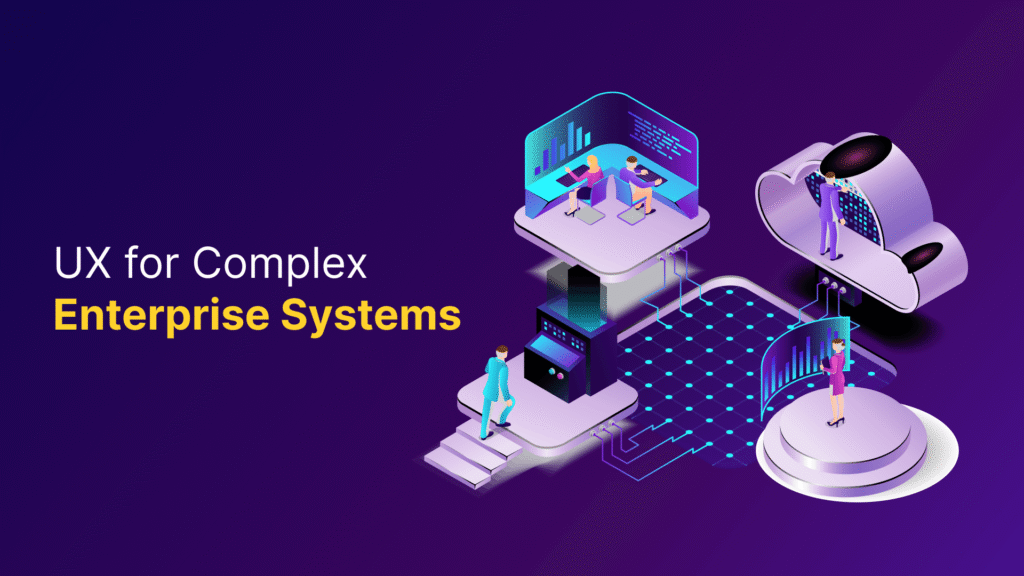
Enterprise UX design is fundamentally different from consumer UX. In complex business applications, the primary goal is not delight, but clarity, efficiency, and error reduction. When the experience fails, productivity drops, support tickets rise, and organizations begin to rely on workarounds outside the product.
In this guide, we’ll explore the us for complex enterprise design process, covering proven enterprise UX design patterns and enterprise UX design principles that eliminate operational friction. We’ll walk through enterprise software UX design strategies, implementation approaches, and enterprise UX design best practices for continuous improvement.
Understanding how friction impacts ux for complex enterprise operations
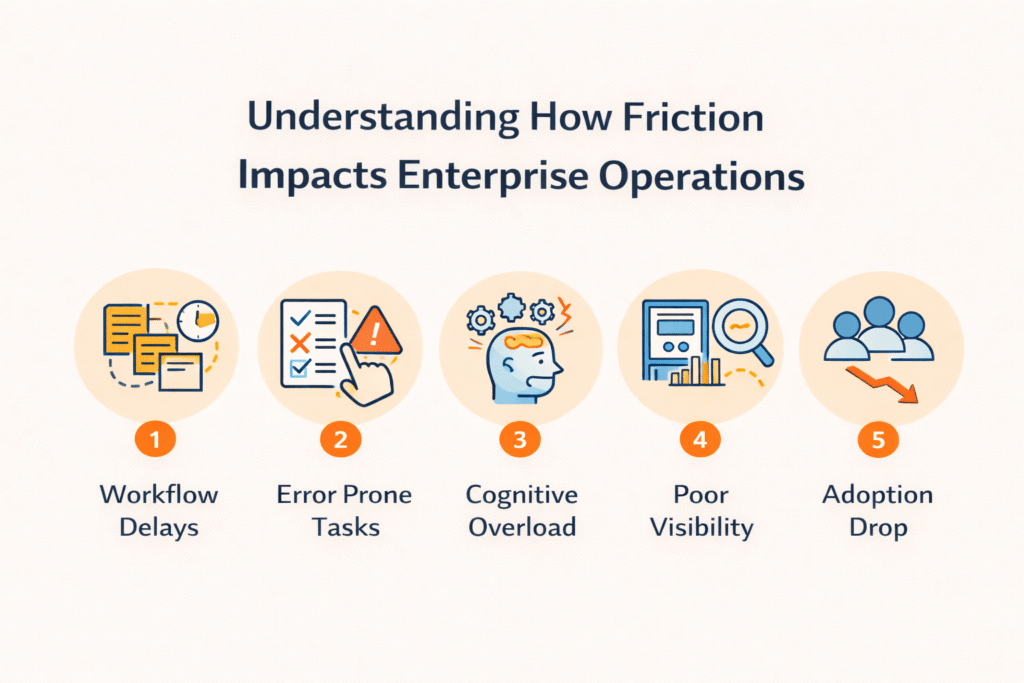
When enterprise systems fail to meet usability standards, the consequences extend far beyond minor inconveniences. Organizations face measurable operational costs that accumulate silently across departments, affecting everything from daily task execution to strategic decision-making capabilities.
Productivity losses from poor UX
The financial impact of inefficient systems becomes clear when examining actual time losses. The average large enterprise lost approximately $104 million to digital inefficiencies in 2024, driven primarily by productivity losses connected to employee IT frustrations. Employees at large enterprises lost an average of 36 workdays to IT roadblocks, representing a significant drain on organizational capacity.
More than two-thirds of employees spend at least 10% of their day on meta work, such as navigating processes, re-logging issues, and resolving technical difficulties. Nearly two-thirds lose at least 10 minutes daily to stalled IT systems, costing companies more than $100 per employee per week. At scale, these delays compound rapidly across thousands of employees.
The problem extends to IT leaders themselves. Nearly three-quarters lose at least one hour weekly to issues such as access trouble, slow systems, approval delays, or slow IT fixes. Moreover, employees lose an average of three and a half hours of work time after filing a help desk request, accounting for ticket opening, resolution time, and the cognitive cost of switching between tasks.
Hidden costs of workarounds
When approved software proves difficult to use or lacks necessary capabilities, employees create their own solutions. This behavior generates what organizations call “ghost IT” or “shadow IT,” representing hundreds of unapproved applications operating under the radar.
Workers download new apps specifically because enterprise tools fail to meet their functional needs. They seek out personal devices and unauthorized software just to complete their jobs. While these workarounds allow work to continue, they introduce security risks, create data silos, and make standardized IT support nearly impossible.
The costs extend to training and support infrastructure. Organizations compensate for poor usability by implementing longer training cycles and expanding support teams. When interfaces impose high cognitive load, employees rely heavily on internal support for routine tasks, increasing support team workload and operational costs. In many organizations, a significant share of support tickets traces back to preventable UX issues such as unclear layouts, hidden actions, or overloaded screens.
Employee frustration and turnover
Poor enterprise UX directly contributes to employee dissatisfaction and attrition. Workers understand that spending excessive time on low-value tasks limits their core job function and could diminish promotion prospects. Younger employees recognize how outdated workplace technology impacts career advancement, driving them to seek companies with modern systems.
The impact on Gen Z workers proves particularly severe. The average Gen Z job tenure now hovers at just over one year. For workers accustomed to seamless consumer applications, messy and outdated corporate software represents a massive barrier to performing their jobs well. Asking these employees to spend three months figuring out software creates frustration, burnout, and turnover.
Unresponsive systems communicate to employees how little the organization values their time and ingenuity. When workers struggle just to complete core tasks, they become less likely to contribute ambitious ideas. Eventually, they dust off their résumés and begin seeking new opportunities. Employee turnover introduces hiring costs, loss of institutional knowledge, and temporary productivity gaps, creating a cycle of expense that extends far beyond the initial UX failure.
Research methods for uncovering operational friction
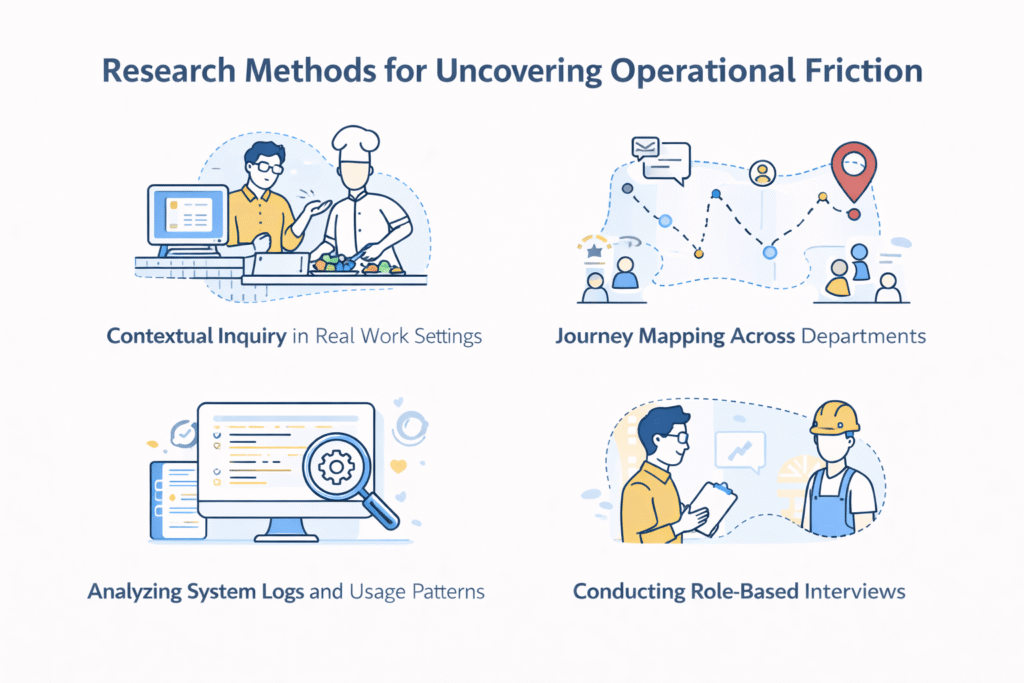
Identifying friction requires moving beyond assumptions and into the actual work environment where employees interact with enterprise systems. The enterprise UX design process depends on research methods that capture real behaviors, not self-reported summaries of idealized workflows.
Contextual inquiry in real work settings
Contextual inquiry takes researchers directly into users’ natural work environments to observe how they interact with systems during actual task execution. This field-based technique proves particularly effective for complex enterprise applications because it uncovers tacit knowledge that users themselves aren’t consciously aware of. The method operates on a master-apprentice model, where the researcher assumes the role of apprentice learning from the user as master craftsman.
During these sessions, researchers observe and ask questions while users perform their normal work, capturing interruptions, workarounds, and habitual behaviors that surveys and lab studies miss. The depth of information gathered through contextual inquiry cannot be replicated by other methods, specifically because it reveals the fine details of work processes as they unfold. Researchers watch for external tools users rely on, such as calendars, checklists, or paper-based tracking systems, which typically indicate that enterprise systems fail to support complete workflows.
Journey mapping across departments
Journey mapping compiles user goals and actions into a timeline enhanced with thoughts and emotions, creating a narrative that conveys insights valuable to the enterprise UX design process. Unlike consumer journey maps focused on purchase decisions, enterprise journey maps track business outcomes across multiple departments and roles. These maps collate work processes in their entirety based on cross-department interactions and collaboration.
The visualization helps departments gain a complete view of processes and understand their role within larger workflows. When quantitative data reveals specific stagnations, such as complaints taking longer than usual to resolve or applications being underutilized, journey mapping identifies the underlying causes. The Federal Customer Experience Initiative conducted more than 150 interviews and collected over 350 survey responses to develop cross-agency journey maps, revealing bottlenecks meaningful to real people.
Analyzing system logs and usage patterns
System logs provide behavioral data that reveals what users actually do, not what they say they do. By scrutinizing these logs, teams identify bottlenecks, bugs, and performance issues affecting user experience. Log monitoring offers insights into response times, error rates, and resource utilization, allowing teams to spot inefficiencies in real time.
Analysis of user interactions through logs reveals commonly used features and patterns of user errors, guiding designers toward usability improvements. Similarly, search log analysis shows people struggling to find needed information, illuminating frequently encountered problems. Proactive issue identification through log monitoring means detecting anomalies and predicting potential problems before users experience service disruptions.
Conducting role-based interviews
User interviews provide 30-to-60 minute conversations with individual participants to gain deeper understanding of attitudes, beliefs, desires, and experiences. These moderated sessions allow researchers to pick up on verbal and non-verbal cues, ask follow-up questions, and probe topics more deeply. The candid, interactive nature often leads to unexpected insights hard to achieve through other methods.
Interviews generate qualitative data synthesized into artifacts such as personas, scenarios, and journey maps. By the same token, contextual interviews conducted in users’ actual environments feel more natural than lab-based sessions, providing insight into the context of use. The enterprise UX design best practices suggest pairing interviews with other research methods to supplement qualitative findings with quantitative validation.
Enterprise UX design patterns that eliminate friction
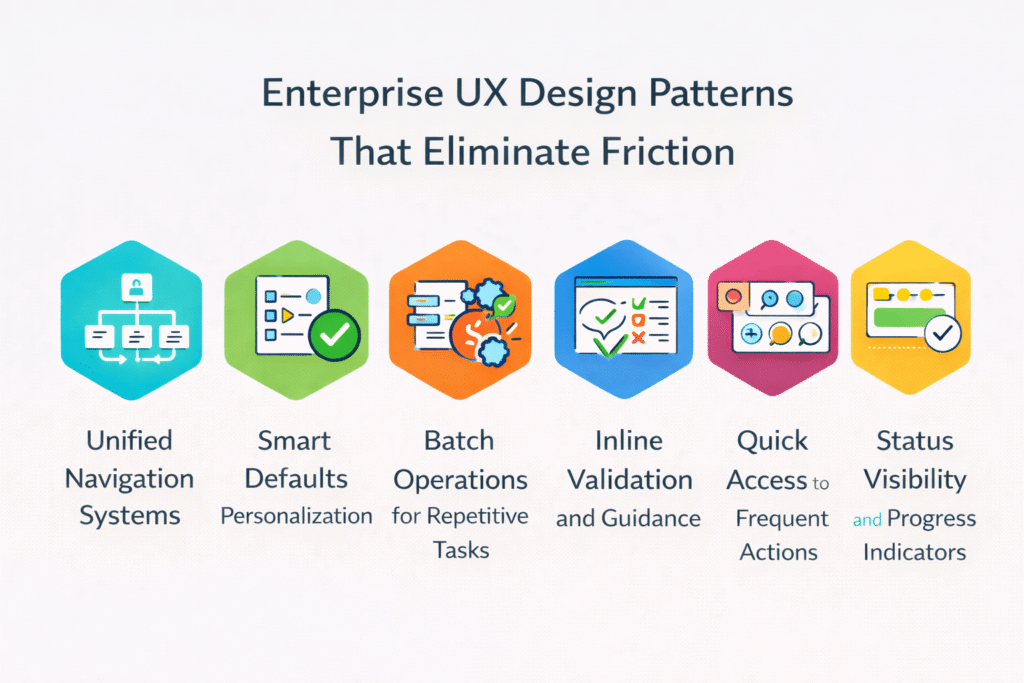
Specific enterprise UX design patterns address recurring friction points across business applications. These patterns represent tested solutions that reduce cognitive load and streamline workflows when implemented correctly.
Unified navigation systems
Unified navigation creates a framework that federates multiple applications under a central portal system. Users log into one portal and access both local and remote resources through a single interface. In practice, this approach includes features such as the 9-dot application launcher that consolidates all tools in one place. QuickNav, accessible via Z+Space or a lightning icon, provides centralized search and navigation across applications. Users type an application name and open it directly without stepping through interface paths. Single login access eliminates repeated authentication across different systems.
Smart defaults and personalization
Smart defaults reduce mental effort by presenting the most relevant options based on user behavior patterns. Systems analyze past data such as purchase history, location, and search queries to understand where autofill or suggestions prove helpful. Food delivery apps suggest usual lunch orders at appropriate times. The approach saves time and builds trust when the product anticipates needs accurately. Personalization becomes effective when AI predictions reach 80-90% confidence based on reasonable data. Role-based customization shows different dashboard views depending on whether users are team leads or contributors.
Batch operations for repetitive tasks
Bulk actions allow users to select multiple items and apply changes once rather than repeating individual operations. Effective bulk action design provides a Select All option, uses a contextual action bar, and gives clear feedback with undo capabilities. Checkboxes carry the universal meaning of selecting multiple items. The action bar must remain persistent while users scroll and respond to selection changes. For destructive or irreversible actions, confirmations become necessary when data cannot be recovered.
Inline validation and guidance
Late validation performs better than premature error messages. Validating after users leave an input field avoids interrupting them mid-entry. The reward early, punish late pattern validates immediately when users edit erroneous fields but waits until field exit for previously valid inputs being changed. Copy-paste support proves necessary, as users perceive it as more accurate than manual typing.
Quick access to frequent actions
QuickNav allows users to activate commands and quick actions without opening related applications first. Frequently accessed apps, actions, or destinations can be pinned within the navigation interface. Keyboard access lets users navigate without switching input methods. Actions happen closer to decision moments rather than being deferred.
Status visibility and progress indicators
Progress visibility reduces user anxiety and keeps people engaged. A study found participants with visual feedback had a median waiting time of 9 seconds compared to 22.6 seconds without indicators. Determinate indicators showing percentages offer transparent feedback for longer processes. For fast actions under one second, showing loaders creates confusion. Looped animations work for tasks slightly longer than 2 seconds.
Implementing friction-free enterprise software UX design
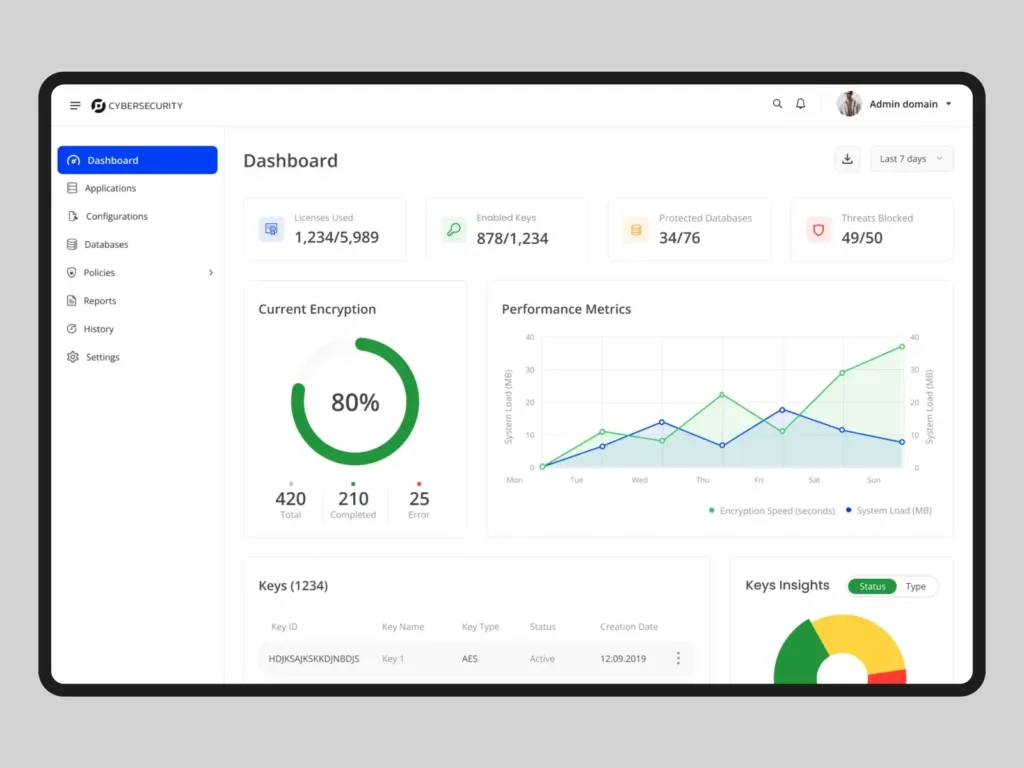
Moving from design patterns to execution requires addressing four critical implementation dimensions that determine whether enterprise software UX design actually reduces friction or simply relocates it.
Balancing power and simplicity
Business software operates in a tension zone between capability and usability. Power users demand advanced filtering, customizable reports, workflow automations, and granular permission settings. First-time users need clear navigation, smart defaults, and limited steps to complete common tasks. Progressive disclosure resolves this conflict by revealing complexity gradually. Role-based interfaces tailor experiences based on user functions, showing finance teams different views than customer support representatives. Consequently, providing two paths works effectively: a guided experience visible in the interface, and an expert version accessible through keyboard shortcuts.
Phased rollout strategies
Phased rollout involves incrementally implementing new systems rather than executing complete simultaneous deployment. During an eight-week transition period where users toggled between old and new tracking interfaces, approximately 85% migrated voluntarily by the final phase. This approach decreased support requests by 62% compared to previous major updates. Breaking launches into smaller components makes planning more realistic and helps teams see how their work impacts overarching goals.
Addressing technical constraints
Technical constraints dictate how far designers can push creative boundaries. Device limitations, accessibility requirements, performance issues, API restrictions, and tech stack dependencies all impact the enterprise UX design process. The solution requires identifying constraints, prioritizing which limitations prove most consequential, brainstorming solutions with appropriate experts, and testing iteratively. Provided that constraints cause measurable user pain, advocate for changing the rules rather than accepting suboptimal experiences.
Collaborating with stakeholders
Enterprise projects involve C-suite executives, IT administrators, subject matter experts, compliance officers, and frontline employees. Each group pursues different priorities, from security and scalability to daily usability. Aligning research goals with stakeholder objectives increases participation. Creating ecosystem maps that visualize all user personas and their goals helps clarify assumptions. In this situation, stakeholder interviews document business vision while assumptions tracking facilitates constructive discussions that address obstacles.
Continuous improvement and friction monitoring
Friction elimination doesn’t end at launch. Enterprise systems operate in environments where business processes shift, user roles expand, and organizational priorities change. Continuous monitoring identifies emerging friction points before they compound into operational problems.
Establishing feedback loops
A user feedback loop operates as a continuous cycle: collect input, analyze it, act on the insights, and follow up with stakeholders. Rather than treating feedback as a checkbox exercise, the enterprise UX design process treats it as an ongoing source of actionable intelligence. Organizations that actively listen and implement changes based on feedback grow faster and build stronger user loyalty. Closing the loop proves critical for building trust, as users who provide input and hear nothing back experience significant disappointment. Teams should integrate feedback collection at key touchpoints and establish consistent routines rather than relying on one-time surveys.
Running usability testing sessions
Usability testing identifies uncertainty areas and potential experience enhancements. The primary goal centers on discovering product defects before release. For qualitative studies of a single user group, five participants uncover the majority of common problems. Testing should happen early and often throughout development, from initial design stages through final testing and launch. Early testing catches issues before they become embedded in the design, while ongoing testing drives continuous improvement. Remote usability testing reaches users across different locations and time zones, providing diverse insights.
Tracking evolving user needs
Change requests originate from multiple sources: users conceive new product capabilities, testing reveals missing functionality, managers modify objectives responding to market factors, and developers suggest features they believe will serve customers. Business analysts note which functional areas will likely shift over time during elicitation. These areas often contain business rules or reflect probable product growth directions. Without careful analysis, teams might approve expensive changes causing testing headaches or requiring far more effort than expected.
Iterating based on real usage data
Patterns in interaction data such as click paths, dwell time, and navigation sequences serve as continuous feedback loops. When interpreted correctly, systems become faster, more intuitive, and clearer. Each iteration builds on observable evidence, allowing experience design to progress continuously. Analytics showed users previously spent upwards of 2 minutes editing profiles; after updates deployed, that time dropped to less than 30 seconds, representing almost 5x improvement. Similarly, application completion times decreased from nearly an hour to just over 30 minutes, nearly doubling user speed. Staff efficiency using updated systems increased 24%, adding up to 20 minutes saved per day for each team member.
Conclusion
Enterprise UX operates differently from consumer products. As we’ve demonstrated, friction in business systems translates directly into measurable costs through productivity losses, support tickets, and employee turnover. The good news? Research methods such as contextual inquiry and journey mapping help you uncover where friction exists, while proven design patterns provide tested solutions.
Essentially, reducing operational friction requires commitment beyond launch. Establish feedback loops, track real usage patterns, and iterate based on actual behavior. When you implement these enterprise UX design principles correctly, employees work faster, support costs drop, and organizations stop relying on workarounds that create security risks and operational inefficiencies.
Key Takeaways
Enterprise UX failures cost organizations significantly more than minor inconveniences—they create measurable operational losses that compound across departments and directly impact business outcomes.
• Poor enterprise UX costs large companies $104 million annually through productivity losses and IT frustrations • Use contextual inquiry and journey mapping to uncover real friction points in actual work environments • Implement unified navigation, smart defaults, and batch operations to eliminate repetitive task friction • Deploy phased rollouts with continuous feedback loops rather than complete system overhauls • Track usage data and iterate based on real behavior patterns to maintain friction-free experiences
The key to successful enterprise UX lies in understanding that reducing operational friction requires ongoing commitment beyond initial launch. Organizations that establish proper feedback mechanisms and continuously monitor user behavior create systems that actually support productivity rather than hinder it.
FAQs
Q1. How much does poor enterprise UX actually cost organizations?
Poor enterprise UX creates substantial financial impact, with large enterprises losing approximately $104 million annually to digital inefficiencies. Employees lose an average of 36 workdays to IT roadblocks, and more than two-thirds spend at least 10% of their day on meta work like navigating processes and resolving technical difficulties. These productivity losses compound across thousands of employees, resulting in significant operational costs.
Q2. What research methods work best for identifying friction in enterprise systems?
Contextual inquiry proves most effective by observing users in their natural work environments during actual task execution. Journey mapping across departments reveals bottlenecks in cross-functional workflows, while analyzing system logs provides behavioral data showing what users actually do versus what they report. Role-based interviews complement these methods by uncovering attitudes, beliefs, and experiences that other techniques might miss.
Q3. What design patterns help eliminate operational friction in enterprise software?
Unified navigation systems consolidate multiple applications under a single portal, eliminating repeated authentication. Smart defaults and personalization reduce mental effort by presenting relevant options based on user behavior. Batch operations allow users to apply changes to multiple items at once rather than repeating individual actions. Inline validation and progress indicators keep users informed without interrupting their workflow.
Q4. How should organizations implement UX improvements in complex enterprise systems?
Phased rollout strategies work better than complete simultaneous deployment, allowing users to transition gradually between old and new interfaces. Balance power and simplicity through progressive disclosure and role-based interfaces that show different views for different user types. Address technical constraints by identifying limitations, prioritizing consequential issues, and collaborating with stakeholders across C-suite executives, IT administrators, and frontline employees.
Q5. Why is continuous monitoring important after launching enterprise UX improvements?
Enterprise systems operate in environments where business processes shift and user roles expand over time. Establishing feedback loops and running regular usability testing sessions identifies emerging friction points before they become operational problems. Tracking real usage data through interaction patterns, click paths, and navigation sequences allows teams to iterate based on actual behavior rather than assumptions, ensuring systems continue supporting productivity effectively.