
Here’s a reality check: 29% of UX researchers work with less than $10,000 per year for research. In fact, 13% don’t even know what their budget is.
Budget constraints shouldn’t stop you from conducting meaningful user research. Free UX research tools can deliver the insights you need without the hefty price tag.
In this guide, we’ll walk you through the top 5 free UX research and usability testing tools across every stage of your research process. From planning and recruiting to analysis and reporting, you’ll discover how to run effective studies that inform smart product decisions without spending a dime.
Understanding the Free UX Research Tools Landscape

What Counts as a Free Research Tool
When we talk about free UX research tools, we’re referring to software that allows you to conduct research activities without immediate payment. Free versions aim to let you try out the software before committing. However, these versions come with specific limitations you need to understand upfront.
Free tools typically restrict the number of questions or question types you can use. You’ll often find caps on how many respondents can receive your survey. For instance, Zoom’s free tier allows calls up to 40 minutes with up to 100 participants. Google Forms offers capable survey functionality without cost, though some researchers find its visual presentation lacking.
The top 5 free UX research and usability testing tools like Useberry, Lyssna, Maze, and UXtweak offer robust free versions without significant limitations. Each tool brings different strengths to your research process. Google Meet provides an entirely online solution where participants can join through their browser without downloading an app. Microsoft Teams offers both online and app-based options, making meetings accessible for anyone.
Tools with student programs expand access further. UXtweak provides free licenses for educational purposes if you’re a student or educator. This opens doors for learning and skill development without financial barriers.
Free vs Freemium: Knowing the Difference
The distinction between free and freemium models shapes what you can actually accomplish with these tools. Freemium gives you unlimited, free access to a product forever. The catch is that this version has limitations. Some features remain inaccessible, usage caps exist, or storage limits apply. These restrictions create incentives for upgrading to paid versions where advanced features unlock.
Free trials work differently. They grant access to your product for a set time limit, usually 7, 14, or 30 days. Unlike freemium models, trial users often get complete access to advanced features. You can try everything with no limitations except time. When the trial ends, you lose access to the product unless you purchase a paid plan.
Two types of free trials exist:
- Opt-in trials: No credit card required unless you decide to pay at the end
- Opt-out trials: Credit card information required upfront; you must cancel to avoid charges
The numbers tell an interesting story. Free trials convert at 10-25%, while freemium models sit around 5%. This difference stems from how each model works. Free trials create urgency through time pressure, encouraging quick exploration and faster upgrade decisions. Users who experience full functionality show higher conversion likelihood.
Market size plays a critical role in which model works better. Freemium requires a much larger total addressable market because of lower conversion rates. Free trials prove more efficient for smaller markets and specific audiences, attracting higher-quality leads who convert more readily.
With freemium models, basic functionality stays free while advanced features require payment. This flexibility lets you trial software without risks and pay only for features you need. The disadvantage is that upgrading to advanced features can cost more than a paid license from the start.
Building Confidence with Limited Budget Tools
Working with free UX research tools requires a different mindset, not a compromised one. You can still conduct great user research by being scrappy about your approach. The key is understanding how to maximize what these tools offer.
Start building your user panel from day one. Reach out to people through Facebook Groups, Reddit groups, and other channels. Create a screener survey and slowly build your participant pool. By the time you need to talk to someone, you’ll have dozens of potential participants ready.
Incentives don’t always require cash. One researcher offered a PDF with 100 useful tools for small entrepreneurs instead of gift cards, and it worked well. Think creatively about what your target users would find valuable.
Companies like Uber and Netflix rely heavily on free tools like Google Analytics and Microsoft Clarity, which is completely free. You can learn substantial amounts about user behavior if you know how to read the data. Customer support teams become invaluable resources since they talk to real users daily. Collaborating closely with support executives reveals patterns and pain points you might otherwise miss.
Look for product reviews, reported tickets, and repeat queries. These sources provide insights without requiring a dedicated budget. Document everything and present findings to your leadership. Conduct small studies with 4-5 participants on your own and share results. You have to start somewhere.
The goal isn’t just gathering data but harvesting actionable insights that drive user-centric design decisions. Free tools can absolutely deliver this when you select ones that match your specific research needs and context.
Free Tools for Planning and Recruiting

Planning your research properly determines whether your study delivers actionable insights or wastes everyone’s time. Organizing documentation, recruiting the right participants, scheduling sessions, and screening candidates form the foundation of successful research.
Research Brief Templates and Documentation
Starting with solid templates saves hours of repetitive work. The Nielsen Norman Group offers free templates that cover your essential research operations. Their research plan template helps you organize goals, methods, and logistical details in a structured document format. You can download it as a DOCX file and customize it for any study.
The same collection includes an AI cheat sheet with 5 steps for crafting prompts to generate research questions, methods, and recruiting criteria. If you need to gather informed consent, their example consent form provides a starting point that you can adapt to your specific study requirements. For stakeholder work, their stakeholder interview guide offers ready-to-use introductions and questions, while their stakeholder mapping template in Excel format helps identify and involve key people in your projects.
Their example interview guide demonstrates how to structure a semistructured interview script. The usability testing poster summarizes important details about qualitative testing, including its purpose, benefits, and tips for successful sessions. For observers, their research observer guidelines set expectations for behavior and note-taking during sessions.
Free Participant Recruitment Methods
Finding the right participants challenges every researcher. Your existing userbase represents the most evident source. These users already have a vested interest in your product and making it better, positioning them as long-term research partners. Send a quarterly Net Promoter Score survey to your users and invite all respondents to join your user panel. For early-stage startups with few users, expand efforts to sales prospects and leads. Place a sticky call to action in your app or on your home page inviting people to join your beta community.
Social media posting works when money’s tight. Post in well-defined communities where you can reach your target audience. Join relevant Slack communities, Facebook Groups, or Reddit groups early in your development process to recruit participants. Be careful to observe community guidelines, as most don’t allow hard sells.
Content marketing hides your recruitment efforts within useful content. Package research you’re already doing in a way that provides value to your target audience. If you believe you’re providing sufficient value, create a paywall requiring people to sign up with their email address before viewing or downloading your content.
Screening surveys gather information about candidate participants’ experiences to quickly identify optimal candidates representative of your target audience and exclude those who may not be a good fit. You and your team should identify participant criteria for your study, considering both demographics and goals as users interact with your products. Survey logic expedites the screening process, so pick a survey tool with strong branching capabilities.
When you’re unsure whether eligible participants truly fit your study, break it into two parts: a 15-minute screening interview and a 30- or 60-minute research session. This screening interview evaluates candidates to clarify their screening-survey responses and validates whether they’re a good fit.
Scheduling and Calendar Tools
Calendly makes scheduling simple by letting you share your scheduling link directly with invitees or embed your availability in an email or website. It connects up to six calendars to automate scheduling with real-time availability. The free plan offers one active event type with automated workflows that send text reminders 24 hours before events start and follow-up emails 2 hours after events end.
Cal.com takes an open-source approach with unlimited event types on the free plan. Round-robin scheduling distributes meetings evenly across team members to balance workload. Google Calendar Appointment Scheduling works natively within Google Workspace, automatically generating Google Meet links for every booked appointment. Doodle solves group coordination through poll-based scheduling where participants vote on their preferred times without creating accounts. Setmore’s free tier supports up to 4 staff members with unlimited appointments and recurring booking capabilities.
Screener Survey Builders
Screening prevents suboptimal study participants from negatively affecting your research quality and design decisions. Automated-recruiting platforms require careful attention to avoid overly restricting your survey with extraneous elimination criteria. Survey tools with strong branching capabilities let you create logic that expedites the screening process.
Free Tools for Conducting Research

Conducting your research requires tools that capture what users say, do, and experience. The right combination of video conferencing, recording, survey, and testing platforms turns research plans into actionable insights.
Video Conferencing for Remote Sessions
Zoom remains the most recognized option, offering free 40-minute meetings for up to 100 participants. The time limit feels restrictive for lengthy sessions, but works for most standard interviews and quick usability tests. Skype delivers a seamless desktop experience where participants click a link, enter their name, and join without installation. Mobile users need the app, which doesn’t automatically direct them to your meeting after download. Live closed captions help when participants have hearing impairments or speak different native languages.
Google Meet keeps functionality simple with a clean interface. Participants on mobile devices must install an app, but it automatically directs them to the meeting afterward. The automatic closed captions handle regional accents better than Skype. Whereby eliminates software installation entirely. Participants simply click your invite link and enter their name on any device. The lack of mobile screen sharing and closed captioning limits its research applications.
For teams with data sovereignty requirements, Jitsi Meet provides self-hosted video conferencing with screen sharing and session recording. BigBlueButton offers shared notes, breakout rooms, and polling alongside session recording. Both require engineering resources to maintain.
Screen Recording and Session Capture
Microsoft Clarity stands out as completely free session recording software. It captures user interactions including clicks, scrolls, and movement patterns on your website. OpenReplay functions as a self-hosted alternative to commercial tools like Hotjar, capturing sessions with click tracking and mouse movement recording. The self-hosted deployment keeps session data within your infrastructure.
PostHog combines product analytics with session replay in one open-source platform. The free edition covers behavioral analytics, funnel analysis, and session recording. BetterBugs.io offers unlimited screenshots and screen recording up to 15 minutes as a free Chrome extension. It auto-bundles visual proof with developer logs, console information, and network requests. Loom captures screen and webcam recordings with transcription features. ScreenRec records without watermarks or time limits, auto-saving to your private cloud account with instant sharing links.
Survey and Feedback Collection
Google Forms delivers unlimited forms, questions, submissions, and collaboration at no cost. Microsoft Forms matches this unlimited approach for Microsoft 365 users. Both handle basic survey needs effectively, though they lack complex validation logic found in paid tools. LimeSurvey provides the most feature-complete open-source survey platform with complex branching logic, multi-language support, and various question types. The interface requires more technical familiarity than commercial alternatives.
Usability Testing Platforms with Free Tiers
Maze offers one study per month with 5 seats on the free plan. It includes essential prototype testing and surveys. Lookback specializes in moderated and unmoderated usability tests with screen, video, and audio capture across desktop and mobile. Lyssna runs first-click tests, five-second tests, and preference testing. Hotjar measures website usability through heatmap recording, session recordings, and conversion funnel analysis. Userbrain enables task-based testing of websites, mobile apps, and prototypes with screen and voice recordings.
Free Tools for Analysis and Synthesis

Image Source: Mural
Raw research data transforms into actionable insights during analysis and synthesis. Free tools handle transcription, organization, visualization, and collaboration without requiring budget approval.
Note-Taking and Transcript Tools
AI functions as a co-pilot that handles tedious work like transcription, summarization, and initial thematic analysis, freeing you to focus on higher-level insights. Transcription shifted from flat files to searchable databases. Platforms now feature AI chat modes where you ask transcripts direct questions and get cited answers instantly.
Otter offers 300 minutes of transcriptions per month for free. Real-time transcriptions provide immediate access to what participants said. Recording feeds the entire AI analysis engine, but notes allow you to extract more value from sessions and transcripts quickly. Modern tools let you add live tags during sessions, automatically creating video clips of tagged moments.
Capture what AI might miss. The AI transcribes spoken words, but you record the hesitation before an answer, the glance toward a coworker, the overall energy in the room. AI note-takers use Natural Language Processing and machine learning to transcribe speech into text, generating records stored on the cloud for organizational access. Search by keyword to find data across your digital library anywhere, anytime.
Data Organization and Tagging
Zotero revolutionizes reference management as a free platform for collecting, organizing, and citing research materials. You can create bibliographies in various citation styles, organize sources with folders and tags, and share libraries with collaborators. It stood the test of time since 2006, proving a tool doesn’t require all the bells and whistles to remain useful.
AI note-taking apps automatically organize information through tags, categories, and folders. They parse large datasets to extract and classify content into tags or themes predetermined by you or constructed by AI itself. Customizable tags simplify how researchers organize and locate materials, letting you label content according to your preferences.
Insight Visualization and Reporting
Microsoft Power BI connects to dozens of third-party data sources with interactive reports, real-time dashboards, and a Q&A interface using natural language. Tableau Public provides data visualization, analysis, and business intelligence with most paid features accessible for free. It publishes visualizations on the web through a simple interface, though you shouldn’t use it for commercially sensitive data.
Databox generates data-driven reports with over 70 one-click integrations. The free plan provides access to over 200 pre-built dashboard templates but limits you to 3 data sources and 3 dashboards. Looker Studio creates reports and dashboards requiring only a Google account.
Collaboration and Sharing Platforms
Cloud-stored notes give people across your organization access to files immediately after meetings. Project notes let you collaborate on specific details like reviewing screener surveys, incentives, and participant emails before launch. Observer sign-up pages allow collaborators to register for upcoming sessions in just a few clicks.
Budget-Friendly Research Plans Using Free Tools
Practical timelines demonstrate how free UX research tools deliver real results. These scenarios show achievable research cycles without budget requirements.
Testing a Landing Page in One Week
Landing page testing takes 1-2 weeks with the right approach. Set up message testing through Wynter within minutes by entering your page URL or uploading an image. Highlight three areas needing feedback and choose your questions using premade templates. Results arrive within 12-48 hours. Use Google Forms for follow-up surveys collecting visitor reactions. Analyze findings with free heatmap tools like Microsoft Clarity to identify click patterns and scrolling behavior.
Improving Onboarding Flow in 10 Days
Start by assessing current performance through activation rate and retention metrics. Identify specific drop-off points where users abandon the flow. Deploy microsurveys triggering after onboarding completion, which achieve 60% completion rates. Conduct 4-5 moderated sessions via Zoom to observe users navigating the flow. Synthesize findings using free note-taking tools and create improvement hypotheses. Test variations with remaining time.
Validating a New Feature in 5 Days
Customer interview campaigns typically require 2-4 weeks, but you can compress initial validation. Recruit 5-6 participants through social channels and screen them via Google Forms. Schedule back-to-back Zoom sessions over two days. Use Loom to share feature concepts and gather asynchronous feedback. Analyze patterns immediately using collaborative documents. Present findings by day five with clear go or no-go recommendations.
Making Your Free Tools Work Like Paid Ones
Strategic combinations turn individual free tools into powerful research systems. Instead of searching for one perfect platform, layer multiple tools to cover your workflow gaps. Google Trends helps validate whether topics still resonate before investing research time. Google Search Console reveals keywords you already rank for, guiding content improvements that move posts from page two to page one without new resources. Patience and consistency matter more than expensive software when building research capabilities.
Combine Multiple Free Tools Strategically
Focus on search intent, competition, and relevance rather than obsessing over volume metrics. Free keyword tool versions like Ubersuggest, AnswerThePublic, and Keyword Surfer deliver useful insights in their limited forms. Look for rising trends marked as opportunities in Google Trends.
Create Reusable Research Templates
Templates speed up project launches and maintain consistency across your team. Build templates in Notion for research plans, methods, and outcome documents. Figma and FigJam templates allow stakeholders to join workshops and research activities easily. Request boards help manage incoming research requests when multiple people need your support.
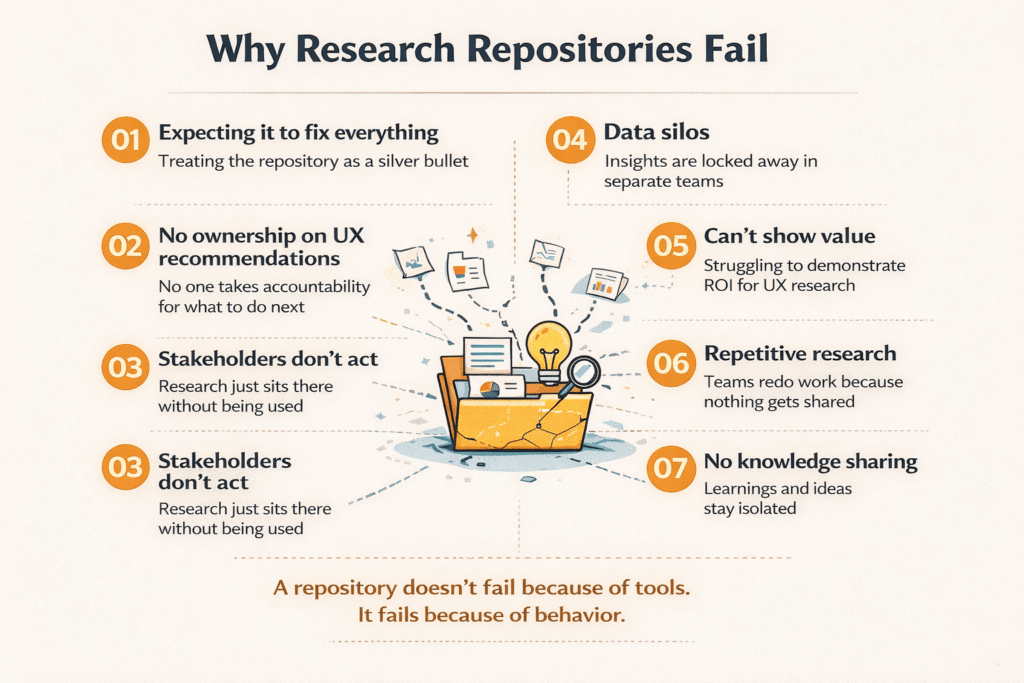
Build Your Own Research Repository
Central storage makes insights discoverable. Research repositories store artifacts in one accessible place, preventing duplicated efforts and uncovering themes across studies. Tag data to convert unstructured findings into manageable, digestible nuggets. Searchable repositories let teams pull evidence quickly for product decisions.
Train Your Team on Tool Basics
Hands-on training with real projects accelerates proficiency. Provide step-by-step guides and videos for reference. Pair team members with mentors for troubleshooting support. Encourage practice on small projects while gathering regular feedback to address challenges.
Conclusion
You now have everything needed to conduct meaningful UX research without spending a dime. Budget constraints don’t determine research quality; your approach does.
Consequently, the tools we’ve covered can deliver the insights that drive smart product decisions when you combine them strategically and use them consistently. Start building your participant panel today, create reusable templates, and run small studies with 4-5 users.
Most importantly, remember that companies like Uber and Netflix rely heavily on free tools. You’re not compromising by choosing free options; you’re simply being resourceful.
Overall, focus on harvesting actionable insights rather than waiting for the perfect paid platform. Your research journey starts now, with the tools you already have access to.
Key Takeaways
Effective UX research doesn’t require expensive tools – strategic use of free platforms can deliver professional-quality insights that drive smart product decisions.
• Budget constraints are common: 29% of UX researchers work with less than $10,000 annually, proving free tools are essential for most teams.
• Free tools can match paid performance: Companies like Uber and Netflix rely heavily on free tools like Google Analytics and Microsoft Clarity for user insights.
• Strategic tool combinations beat single solutions: Layer multiple free tools (Google Forms + Zoom + Microsoft Clarity) to create comprehensive research workflows.
• Build your participant panel early: Recruit through social channels, existing users, and content marketing to create a ready pool of research participants.
• Templates and repositories maximize efficiency: Create reusable research plans, interview guides, and centralized insight storage to work like larger research teams.
The key is being resourceful rather than waiting for budget approval – start conducting small studies with 4-5 participants using tools you already have access to, and focus on extracting actionable insights that inform product decisions.
FAQs
Q1. What’s the difference between free and freemium UX research tools?
Freemium tools offer unlimited free access forever but with limitations like restricted features, usage caps, or storage limits. Free trials, on the other hand, provide full access to all features for a limited time (typically 7-30 days), after which you lose access unless you purchase a paid plan. Freemium models convert around 5% of users to paid plans, while free trials convert at 10-25% due to the urgency created by time constraints.
Q2. Can I conduct professional-quality UX research using only free tools?
Yes, absolutely. Major companies like Uber and Netflix rely heavily on free tools such as Google Analytics and Microsoft Clarity for user insights. The key is combining multiple free tools strategically and being resourceful with your approach. You can achieve professional results by layering tools like Google Forms for surveys, Zoom for interviews, and Microsoft Clarity for behavior analysis, rather than waiting for a single expensive platform.
Q3. How do I recruit research participants without a budget?
Start by building a participant panel from your existing user base through Net Promoter Score surveys and beta community invitations. Leverage social media by posting in relevant Facebook Groups, Reddit communities, and Slack channels while respecting community guidelines. You can also use content marketing to attract participants and offer non-monetary incentives like valuable resources or PDF guides instead of gift cards.
Q4. What are the best free tools for conducting remote user interviews?
Zoom offers free 40-minute meetings for up to 100 participants, which works well for most standard interviews. Google Meet provides a clean interface with automatic closed captions that handle regional accents effectively. Skype delivers a seamless desktop experience with live closed captions for accessibility. For recording sessions, Microsoft Clarity and Loom are completely free options that capture screen interactions and provide transcription features.
Q5. How can I make free research tools work as effectively as paid ones?
Create reusable templates for research plans, interview guides, and documentation to maintain consistency and speed up project launches. Build your own research repository using free tools like Notion or Google Drive to store insights in a searchable, centralized location. Combine multiple free tools strategically rather than searching for one perfect platform—for example, use Google Forms for screening, Zoom for interviews, and Microsoft Clarity for behavior tracking to cover your entire research workflow.