
The Designer’s Role in an AI-Powered World
➔ From pixel pusher to strategic thinker
AI automates execution, not expertise. The tools can generate beautiful screens and propose entire flows in seconds, but they don’t understand why a user feels something or what will truly delight them. Your value comes from interpreting, refining, and assigning meaning to the output.
Senior designers don’t reach their positions by being exceptional at drawing rectangles. They understand business context, navigate organizational complexity, and make informed judgment calls that shape product strategy. These capabilities aren’t just safe from AI disruption; they’re becoming exponentially more valuable.
I’ve started approaching projects like a CEO, not a “clicking designer.” That means asking what’s the business impact of this design, how does this fit into long-term strategy, and how can I make this solution scalable and sustainable. This mindset shift makes you irreplaceable, even as AI continues to accelerate basic tasks.
➔ AI as creative co-pilot, not replacement
The conversation around ai and ux design isn’t about replacement. It’s about reframing the creative process. When you use AI to generate dozens of variations, who is the true creative force? The algorithm that generates the pixels, or you, the human who curates, refines, and contextualizes outputs to develop a cohesive brand strategy?
In fact, designers who have embraced AI are feeling the difference: 91% say it helps them create better designs, and 89% say it helps them work faster. AI is an amplifier that lets you move faster, prototype more, and explore new possibilities.
What AI cannot do matters more. It can’t understand unspoken cultural context, navigate the complex emotional landscape of organizations, make ethical judgments about design impact, or craft narratives that resonate with authentic human experience. Generative ai and ux work together when you use the tool for speed, but apply your judgment to turn output into insight.
➔ Skills designers need beyond AI tools
Equally important is understanding what makes you valuable beyond prompting skills. Over half of designers and hiring managers say that AI design skills are essential, but 58% still rank visual polish as the number one most important skill.
The skills that keep you ahead include critical thinking to analyze, question, and connect dots that machines can’t see. Systems thinking helps you zoom out and fix causes, not just symptoms. Adaptability means thriving under pressure and reinventing yourself when needed. Cross-functional collaboration matters because 90% of designers say it helps them do their best work.
AI has automated surface-level design work. Therefore, the real value now lies in your ability to understand human psychology, solve messy real-world problems, and combine creativity with judgment. Speed with insight.
AI Applications Across the UX Workflow
AI threads through every stage of the UX workflow, from initial problem framing to final personalization. Here’s where it creates the most impact.
➔ Research problem framing and methodology
Good research starts with a plan. AI chatbots support researchers in creating research plans that include goals, methods, participant profiles, and screeners. You provide context about your project and what you’re trying to achieve, then ask the AI to suggest specific research questions. Ask for more options than you need, since some won’t fit. After generating questions and methods, AI can create inclusion criteria, screeners, interview guides, usability test tasks, and recruitment emails. Watch out for common mistakes like using interface words in task instructions or creating overenthusiastic marketing language in recruitment materials.
➔ Interview facilitation and synthesis
AI automates recruitment, question generation, moderation, transcription, sentiment analysis, and reporting. AI moderators keep interviews flowing with contextual follow-ups and dynamic question routing based on responses. During synthesis, AI organizes information, summarizes insights, and suggests follow-up questions, but it lacks empathy and intuition. AI categorizes customer feelings into positive, negative, or neutral by analyzing word choices. Transcription that once took hours now completes in minutes, and AI-generated reports add customer sentiment and quantifiable metrics you might otherwise miss.
➔ Generating wireframes and design variations
Text-to-wireframe tools convert written descriptions directly into editable wireframes. You describe your vision, and AI instantly proposes a foundational layout. Tools like Figma and Uizard generate multiple design variations, offer copy suggestions, and simulate how different user personas might interact with the interface.
➔ Testing prototypes and analyzing feedback
AI processes hours of user recordings and automatically identifies key moments where users hesitate, struggle, or succeed. Platforms use machine learning to pinpoint friction points and suggest fixes. AI can assist in checking designs against accessibility guidelines, identifying color-blindness problems or low contrast elements.
➔ Creating personalized user interfaces
AI continuously monitors user interactions to build comprehensive profiles. With this data, AI personalizes dashboards in real time based on roles and behavior patterns. Machine learning models analyze historical user data to recommend layouts, predict which widgets users need next, and optimize component placement for maximum usability.
Making AI Work for Your Team
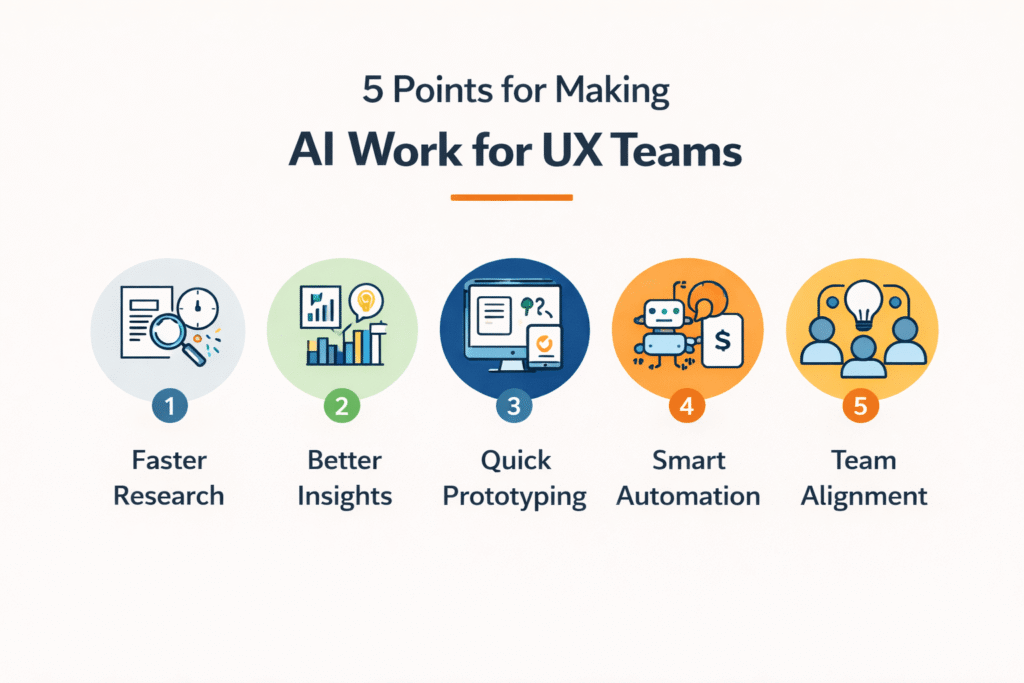
Most teams struggle with where to begin, not whether AI matters. The answer lies in starting small with tasks that won’t disrupt core processes.
➔ Starting small with routine tasks
Run low-risk pilots on early deliverables like wireframes or initial prototypes. Pick one repetitive task this week and test whether AI saves time and mental energy. Starting small beats planning a grandiose project and then freezing with fear of consequences. Accordingly, using 2.5 AI tools has become the norm for most UX professionals.
➔ Choosing the right AI tools for your needs
Evaluate tools against practical criteria → How quickly does it go from prompt to layout? Does it map to your design system? Is generated code usable by engineering? Does it follow accessibility practices? The most successful adoption comes from solutions that work within existing design operations, not standalone tools.
➔ Integrating AI into existing workflows
Make using AI a step in creative tasks. For instance, if your design platform splits tasks into subtasks, add “Use AI for layout variations” as an explicit step. Integration happens gradually, with team members trained to consider AI finding further use cases organically.
➔ Training teams to use AI effectively
Create psychological safety first by showing AI as a tool, not replacement. In fact, 66% of jobs could be partially automated without substituting human input. Demonstrate repeated success with a given tool to convert skeptics better than dictating intentions. Get teams to explore and share results, celebrating effort when they discover satisfaction.
Building Better Products: Human-Centered AI Design
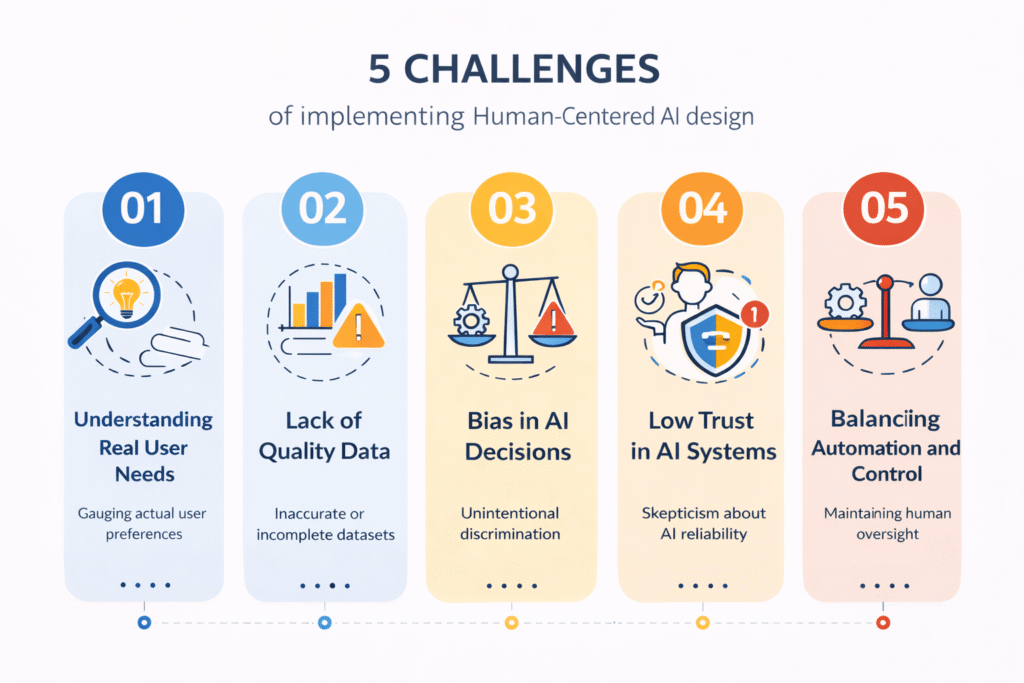
Human intelligence shapes products that machines alone cannot create. While AI excels at data processing and pattern recognition, human designers ensure solutions are ethical, contextually aware, and creatively sound.
➔ Why human judgment remains critical
AI cannot reliably distinguish good ideas from mediocre ones or guide long-term business strategies on its own. Human expertise and creativity still matter, as do fundamental skills like communication and critical thinking. AI operates on data processing, while humans make ethical decisions and determine moments for action.
➔ Ensuring accessibility and inclusivity with AI
Approximately 15-20% of the world’s population lives with a disability. AI improves accessibility through natural language processing, voice recognition, and real-time text-to-speech. However, training data must represent people with diverse disabilities to avoid reinforcing stereotypes.
➔ Ethical AI use and data privacy
AI systems learn from data, and biased data creates biased outputs. Designers must ensure transparency about data collection, give users control over their information, and implement privacy by design principles. Personal data used to train AI models risks creating privacy breaches and social engineering attacks.
➔ Combining AI insights with user empathy
AI enhances data analysis, but human designers translate outputs into meaningful, creative, and ethically sound decisions. Functional empathy through AI requires contextual awareness, emotional intelligence via data, and memory continuity.
➔ Future trends shaping AI and UX design
Generative AI enables designers to create entire interfaces and design elements. Next developments include AI-driven augmented reality, virtual reality, and real-time user feedback through machine learning models.
Key Takeaways
AI is transforming UX design by automating routine tasks and accelerating workflows, but human creativity and strategic thinking remain irreplaceable for building truly exceptional products.
• AI cuts design time by 30% through automation, but designers must evolve from pixel pushers to strategic thinkers who interpret and refine AI outputs
• Start AI adoption with low-risk tasks like wireframing and research synthesis before integrating into core workflows gradually
• Human judgment remains critical for ethical decisions, accessibility, and translating AI insights into meaningful user experiences
• AI excels at generating variations and processing data, but cannot understand cultural context, navigate emotions, or make strategic business decisions
• Success comes from treating AI as a creative co-pilot that amplifies human capabilities rather than a replacement for designer expertise
The future belongs to designers who combine AI efficiency with human empathy, using technology to accelerate execution while applying uniquely human skills like critical thinking, systems design, and cross-functional collaboration to create products that truly serve user needs.
AI and UX are reshaping how we design products, and the numbers prove it. AI adoption in UI/UX design is expected to cut down design time by 30% through automation by 2026. Additionally, 50% of companies are already using AI applications to improve customer experience through chatbots, content creation, and feedback analysis.
This shift means we need to rethink our approach to ai user experience design. Consequently, the relationship between ai and ux design goes beyond just using new tools. It’s about understanding how generative ai and ux work together, how ai and ux research can uncover deeper insights, and how ai and ui ux design create more personalized interfaces.
We’ll walk you through how AI fits into your workflow, what skills matter most, and how to build better products while keeping humans at the center.
Conclusion
AI has become an essential part of the design process, but it works best when paired with human judgment. Start small by automating repetitive tasks, then gradually integrate AI into your workflow. The goal isn’t to replace designers, it’s to free you up for strategic thinking and creative problem solving. Choose tools that fit your process, train your team effectively, and always keep user needs at the center of every decision you make.
FAQs
Q1. How is AI changing the role of UX designers?
AI is shifting designers from execution-focused tasks to strategic thinking. While AI can automate routine design work like generating wireframes and variations, designers now focus on interpreting outputs, making informed judgment calls, understanding business context, and applying human empathy to create meaningful solutions. The role has evolved from “pixel pusher” to strategic partner who uses AI as a creative amplifier.
Q2. What skills do UX designers need to stay relevant in the age of AI?
Beyond AI tool proficiency, designers need critical thinking to analyze problems machines can’t solve, systems thinking to address root causes, adaptability to reinvent themselves as technology evolves, and cross-functional collaboration skills. Visual polish, understanding human psychology, and the ability to combine creativity with judgment remain essential, as these capabilities differentiate human designers from AI-generated outputs.
Q3. How can design teams start implementing AI without disrupting their workflow?
Start with low-risk pilots on routine tasks like wireframes or initial prototypes. Choose one repetitive task and test whether AI saves time before scaling up. Integrate AI gradually by making it an explicit step in your creative process, and create psychological safety by positioning AI as a tool that enhances rather than replaces human work. Most UX professionals now use around 2-3 AI tools as part of their regular workflow.
Q4. What are the main ethical concerns when using AI in UX design?
Key ethical concerns include data privacy, algorithmic bias, and accessibility. AI systems trained on biased data can reinforce stereotypes and create discriminatory outputs. Designers must ensure transparency about data collection, give users control over their information, and verify that training data represents diverse populations including people with disabilities. Privacy by design principles should be implemented from the start.
Q5. Can AI completely automate the UX design process?
No, AI cannot fully automate UX design. While AI excels at generating variations, analyzing data, and automating repetitive tasks, it lacks the ability to understand cultural context, make ethical judgments, navigate organizational complexity, or craft emotionally resonant experiences. Human designers remain essential for strategic decision-making, empathy-driven problem solving, and ensuring designs are contextually appropriate and ethically sound.